Intro
You find the jacket. It looks perfect on the model. You order it, wait four days, open the bag, and it fits like it was cut for a different body. Then comes the return label, the drop-off, the two-week wait for a refund. If you shop online at all, you already know how to try on clothes online is not a niche question. It's the difference between a wardrobe you actually wear and a pile of "I'll return that eventually."
The good news: in 2026 there are real options. Some are built into the retailer's site, some live in your camera roll, and one of them lets you see a garment on a photo of yourself before a single item ships.
This guide covers the five methods that work, how to use each one, how to judge fit when you can't touch the fabric, the mistakes that make virtual try-on look fake, and how to build a try-before-you-buy habit that saves real money.
Why trying on clothes online is finally possible
For years, "virtual fitting room" meant a clunky 3D avatar that looked nothing like you. Two things changed.
First, the cost of getting it wrong got too big to ignore. Online fashion carries return rates far above any other retail category, and returns are expensive for everyone: shipping, restocking, and a lot of clothing that never makes it back to a shelf. Retail research groups like Baymard Institute have documented for years how much uncertainty about fit and appearance drives cart abandonment and post-purchase regret. Fit anxiety is the single most reliable reason a full cart never becomes an order.
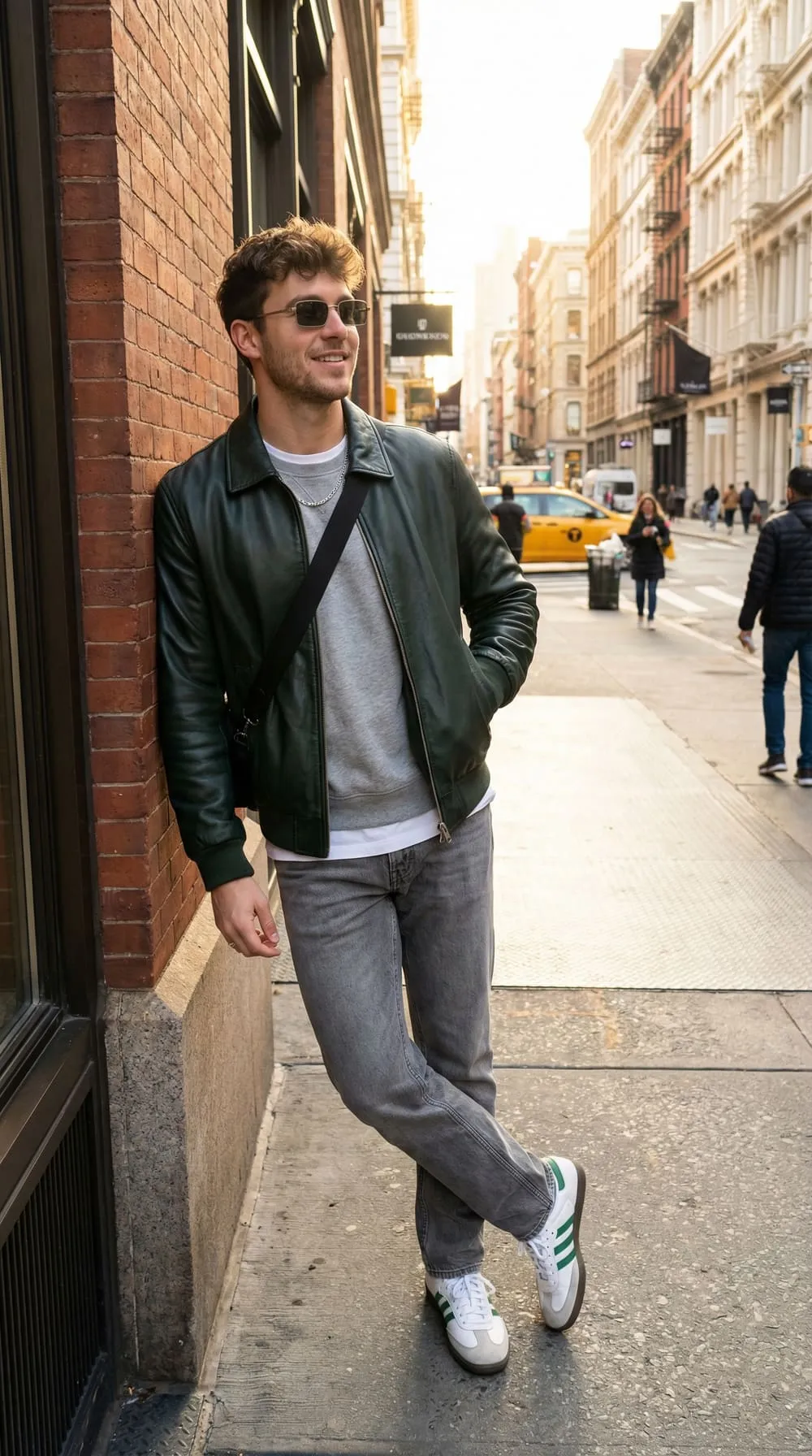
Second, image generation got good enough to be useful. Modern models can take one clear photo of a person and one photo of a garment and produce a realistic composite: correct drape, correct proportions, correct lighting. Not a cartoon avatar. A photo that looks like it came off a phone.
That combination is why the practical answer to "can I try on clothes online" flipped from "sort of" to "yes, in about a minute."
The 5 ways to try on clothes online
Not every method suits every purchase. Here's how they compare.
| Method | How it works | Best for | Limitations |
|---|---|---|---|
| Photo-based AI try-on | Upload a photo of yourself plus the product image; AI renders the garment on you | Any item with a decent product photo, cross-store shopping | Shows look and proportion, not exact measurements |
| Retailer AR try-on | Your phone camera overlays the item live | Glasses, sunglasses, watches, makeup, some shoes | Rarely accurate for draped clothing |
| Size and fit finder tools | You enter height, weight, and a reference brand; it predicts a size | Repeat purchases from big retailers | Only works on sites that offer it, and only for stocked brands |
| Measure-and-compare | You measure a garment you own and compare to the product's flat measurements | Tailored items, denim, anything where centimeters matter | Slow, needs a tape measure, no visual |
| Try-at-home programs | Retailer ships several sizes, you keep what fits | Expensive items, unfamiliar brands | Ties up money, only some retailers offer it |
In practice, most people end up combining two: a visual method to answer "does this look right on me" and a measurement method to answer "is this my size." They answer different questions and neither replaces the other.
1. Photo-based AI try-on
This is the closest thing to a fitting room. You give the tool a clear photo of yourself and a photo of the item, and it generates an image of you wearing it. Because it works from any product image, it isn't limited to one store's catalog. You can try something from a small independent label the same way you'd try something from a major retailer.
It answers the questions a size chart never can: does this color work with my skin tone, does this length hit me in a flattering place, does this silhouette suit my proportions. If you want to see the range of what this looks like across garment types, our try-on gallery is a good reference point.
2. AR try-on in a retailer's app
Augmented reality is genuinely excellent for anything that sits on a fixed point of the body. Sunglasses and eyeglasses are the best case: the frame anchors to your face, tracking is stable, and the result is close to accurate. AR is much weaker for clothing, because fabric drapes and folds in ways live tracking still handles poorly.
3. Size and fit finders
Many large retailers now offer a widget that asks your height, weight, age, and sometimes a brand and size you already own, then recommends a size. These are useful and free. Their weakness is coverage: the recommendation is only as good as the data behind that specific brand and style, and it tells you nothing about how the item will look.
4. Measure and compare
Unglamorous and highly effective. Find a garment you already own that fits the way you want, lay it flat, and measure chest, waist, hem, shoulder seam to shoulder seam, and sleeve or inseam. Compare those numbers to the product's flat measurements, which most quality retailers publish. If the site publishes only body measurements rather than garment measurements, add ease: roughly 5 to 10 cm for a relaxed fit, 2 to 5 cm for a slim one.
5. Try-at-home and free-return programs
Some retailers will ship you two sizes, or the whole thing on a hold, and only charge for what you keep. Worth using for a suit, a coat, or boots. Not worth building a habit around, since it puts money on hold and creates the exact return volume that makes fashion e-commerce wasteful.
How to try on clothes online with your own photo, step by step
Photo-based try-on lives or dies on your input photo. Here's the process that gives the most realistic result.
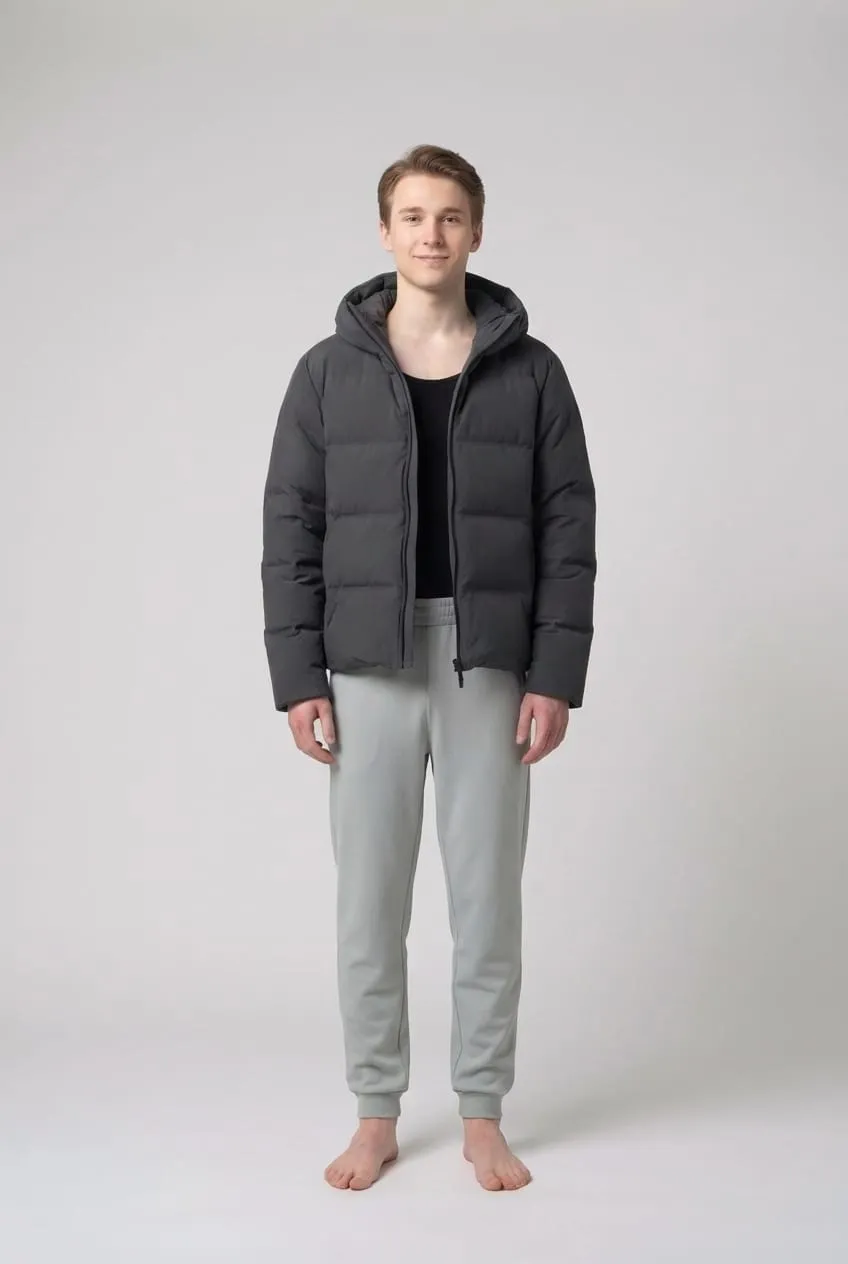
1. Take a clean full-body photo. Stand against a plain wall in even, natural light. Face the camera straight on, arms relaxed at your sides and slightly away from your body so your silhouette is visible. Phone at roughly chest height, whole body in frame.
2. Wear fitted clothing. A plain t-shirt and slim trousers or leggings work best. Baggy hoodies hide your actual shape, and the model has to guess. The tighter the reference, the more accurate the drape.
3. Grab the best product image. Use the retailer's front-facing photo on a plain background if there is one. A flat-lay or a clean model shot both work. Avoid busy lifestyle photos where the garment is half obscured.
4. Generate, then check the details. Look at where the hem falls, how the shoulders sit, and whether the proportions match your body rather than a stock model's. Good output keeps your proportions and swaps the clothing. If your body shape has visibly changed in the result, regenerate.
5. Try the same item in two sizes or two colors. This is where virtual try-on beats a physical fitting room. Comparing a black and a rust version side by side, or a regular and an oversized cut, takes seconds and costs nothing.
We've found the single biggest quality jump comes from step one. People spend ages hunting for the right product photo and then upload a dim mirror selfie of themselves. Reverse that effort and the results improve immediately. You can run through the whole flow with your own photo on the try-on generator.
How to judge fit when you can't feel the fabric
A visual tells you about proportion. It doesn't tell you about fabric behavior, and that's where most online purchases go wrong. Three habits close the gap.
Read the composition, not just the description. "Soft, relaxed feel" means nothing. "100% cotton" means it will likely shrink slightly and hold structure. "95% viscose, 5% elastane" means it will cling and drape. A high polyester content in a summer dress means less breathability. Our guide to natural vs synthetic fabrics breaks down how each fiber actually behaves once it's on your body.
Check the model's stats. Most decent retailers list the model's height and the size they're wearing. If the model is 180 cm in a size S and you're 165 cm, that oversized shirt is going to read as a dress on you. This one line of text is more useful than any photo.
Filter the reviews for your body. Skip the star rating and search reviews for words like "petite," "tall," "broad shoulders," or "runs small." Sizing consensus in reviews is usually more accurate than the brand's own chart.
Mistakes that make virtual try-on look fake
Most disappointing results come from the same handful of errors.
- A cropped or angled source photo. Three-quarter turns, cropped legs, and heavy perspective distortion all confuse the render. Straight-on and full-body.
- Harsh overhead or colored lighting. Strong shadows across your face and torso get baked into the output. Window light beats ceiling light every time.
- Busy backgrounds. A cluttered room gives the model more to reconstruct and more to get wrong. A blank wall, a door, or a plain curtain is ideal.
- Low-resolution product images. A 200-pixel thumbnail scraped from a marketplace listing produces a blurry, invented pattern. Use the largest product image available.
- Expecting exact measurements. Virtual try-on shows you look and proportion. It is not a tailor. Keep using the size chart for the numbers.
Building a try-before-you-buy habit
The point of learning how to try on clothes online is not to shop more. It's to shop with less waste. A workflow that holds up over time looks like this:
Screenshot the item. Try it on virtually before it goes in the cart. If it looks wrong, you've saved yourself a return and the retailer a shipment. If it looks right, cross-check the flat measurements against a garment you already own, then order the single size you need instead of two.
Use it hardest on the categories where returns cluster: dresses, jeans, and formal wear. Those are the items with the most fit variance and the most expensive mistakes. The full use-case list covers every category, from outerwear and sneakers to eyewear.
And use it on things you already own. Before buying anything new, try the new piece against your existing wardrobe virtually. Half the time you'll discover you already own something close enough, which is a better outcome than a good return policy.
Frequently Asked Questions
Can you really try on clothes online?
Yes. Photo-based AI try-on lets you upload a picture of yourself and a product image and see a realistic composite of you wearing the item, usually in under a minute. AR try-on in retailer apps works well for glasses and accessories. Size and fit finders predict your size from measurements. None of them replaces a tailor, but together they answer both the "does it suit me" and "is it my size" questions before you spend anything.
How can I try on clothes online for free?
Most retailer size finders and AR features are free, and many AI try-on tools include a free tier that covers a handful of generations. Measure-and-compare costs nothing but a tape measure and is the most accurate method for sizing. For a visual check on items from stores that don't offer try-on themselves, a photo-based generator works with any product image you can save.
Is virtual try-on accurate for sizing?
Virtual try-on is accurate for appearance, not for centimeters. It shows how a silhouette, length, and color read on your body, which is what most people actually get wrong. For the numbers, use the garment's flat measurements against something you already own that fits well. Treat the two as complementary tools rather than expecting one to do both jobs.
What photo works best for online try-on?
A full-body photo taken straight on, in even natural light, against a plain background, wearing fitted clothing. Keep your arms slightly away from your sides so the outline of your body is clear, and put the camera at about chest height. Avoid mirror selfies, harsh overhead light, heavy filters, and baggy layers that hide your actual shape.
Can I try on clothes from any store?
With photo-based AI try-on, yes, because it works from any product image rather than a specific retailer's catalog. That's its main advantage over a store's built-in fitting room, which only covers items that store stocks. Save the clearest product photo you can find, ideally front-facing on a plain background, and use that as the garment input.
Does virtual try-on actually reduce returns?
It helps most with the returns caused by "it didn't look how I expected," which is a large share of fashion returns alongside sizing. Seeing the item on your own proportions catches the length, color, and silhouette mismatches that product photos hide. It won't fix a genuinely wrong size, so pairing it with a measurement check gives the biggest drop in returns.
Is it safe to upload my photo to a try-on tool?
Check the privacy policy before you upload anything. Look for how long images are stored, whether they are used to train models, and whether you can delete them. Reputable tools let you delete your uploads and don't publish results without permission. If a service is vague about any of that, use a different one.
Conclusion
Knowing how to try on clothes online comes down to picking the right tool for the question you're asking. Photo-based AI try-on answers "does this look right on me." Flat measurements answer "is this my size." AR handles glasses and accessories. Fit finders help on the big retail sites. Try-at-home is for the expensive exceptions.
Start with one clean full-body photo, saved and reused, and the whole process takes a minute per item. Do that consistently and the pile of things you meant to return stops growing, your wardrobe fills with clothes you actually wear, and a lot fewer parcels make a pointless round trip. Try the same jacket in three colors before you commit, and you'll wonder why you ever ordered blind.