Intro
Search for the best virtual try-on apps and you'll get a list of thirty tools that all claim to do the same thing. They don't. Some are augmented reality overlays that work brilliantly for glasses and poorly for a coat. Some are retailer-locked, so they only show you items that retailer sells. Some are photo-based generators that work with any product image but tell you nothing about your measurements.
Picking well means matching the tool to the question you're trying to answer. Nobody needs five try-on apps. Most people need one, plus the knowledge of when it won't help.
This comparison covers the four categories that actually exist, the notable options in each, an honest accounting of what each one gets wrong, and a short decision guide.
The four types of virtual try-on
Almost every tool falls into one of these buckets. The bucket matters more than the brand.
Retailer AR try-on. Your phone camera, live, with a product overlaid in real time. Anchored to a fixed point on your body.
Retailer catalog try-on. You pick a model or upload a photo, and the retailer shows their own stock on that body. Limited to their inventory.
Marketplace-wide try-on. Built into a shopping surface like Google Shopping, covering products from many merchants.
Photo-based AI generators. You supply a photo of yourself and any product image. Not tied to a catalog at all.
| Type | Works with | Strength | Main limitation |
|---|---|---|---|
| Retailer AR | That retailer's catalog | Real-time, accurate for face-anchored items | Poor for draped clothing |
| Retailer catalog | That retailer's catalog | Realistic on-body renders, free | You can only try what they sell |
| Marketplace | Participating merchants | Broad coverage, no setup | Availability varies by region and category |
| Photo-based AI | Any product image | Total freedom, cross-store comparison | Shows look, not measurements |
Retailer AR try-on: excellent for faces, weak for fabric
AR is the oldest category and still the best at one specific job: anything that sits on a fixed anchor point.
Eyewear is the clearest win. Warby Parker and most major optical retailers offer a live camera try-on that tracks your face and places frames convincingly. The frame doesn't drape or fold, your face is a stable tracking target, and the result is close to what you'd see in the mirror. The same holds for sunglasses and prescription glasses.
Beauty works well for the same reason. Sephora's Virtual Artist and Perfect Corp's YouCam line have been mapping lip and eye products onto live faces for years, and the color accuracy is genuinely useful for narrowing a shade range.
Shoes are middling. Amazon's Virtual Try-On for shoes places sneakers on your feet through the camera, and it's fine for judging colorway and silhouette. It won't tell you anything about fit.
Clothing is where AR falls down. Fabric moves. It folds at the elbow, pulls at the shoulder, and hangs differently depending on your posture. Live tracking still handles this badly, and the results tend to look painted-on. If you see an AR demo of a flowing dress that looks perfect, it's usually a carefully chosen pose.
Verdict: best-in-class for glasses and makeup. Skip it for apparel.
Retailer catalog try-on: realistic, but a walled garden
This category got serious when Walmart acquired the virtual fitting startup Zeekit and turned it into a "be your own model" feature, letting shoppers see clothing rendered on a photo rather than an avatar. The renders are good. Drape looks like drape.
The limitation is structural: it only works on that retailer's items. If you're comparing a jacket at one store against a similar one at another, this doesn't help. And most people shop across many stores.
Verdict: genuinely useful when you're already buying from that retailer. Useless the moment you want to compare across stores.
Marketplace try-on: Google Shopping
Google rolled out generative AI virtual try-on in Shopping, letting shoppers see apparel on a range of real models with different body types, and later on their own uploaded photo. It's the broadest coverage of any option because it spans participating merchants rather than one catalog.
Two caveats. Coverage is uneven: not every product, brand, category, or country is included, and menswear and outerwear have historically lagged behind womenswear tops. And you're limited to products indexed in Shopping, which excludes a lot of small and independent labels.
Verdict: the best free starting point if the item you want happens to be supported. Check first, don't count on it.
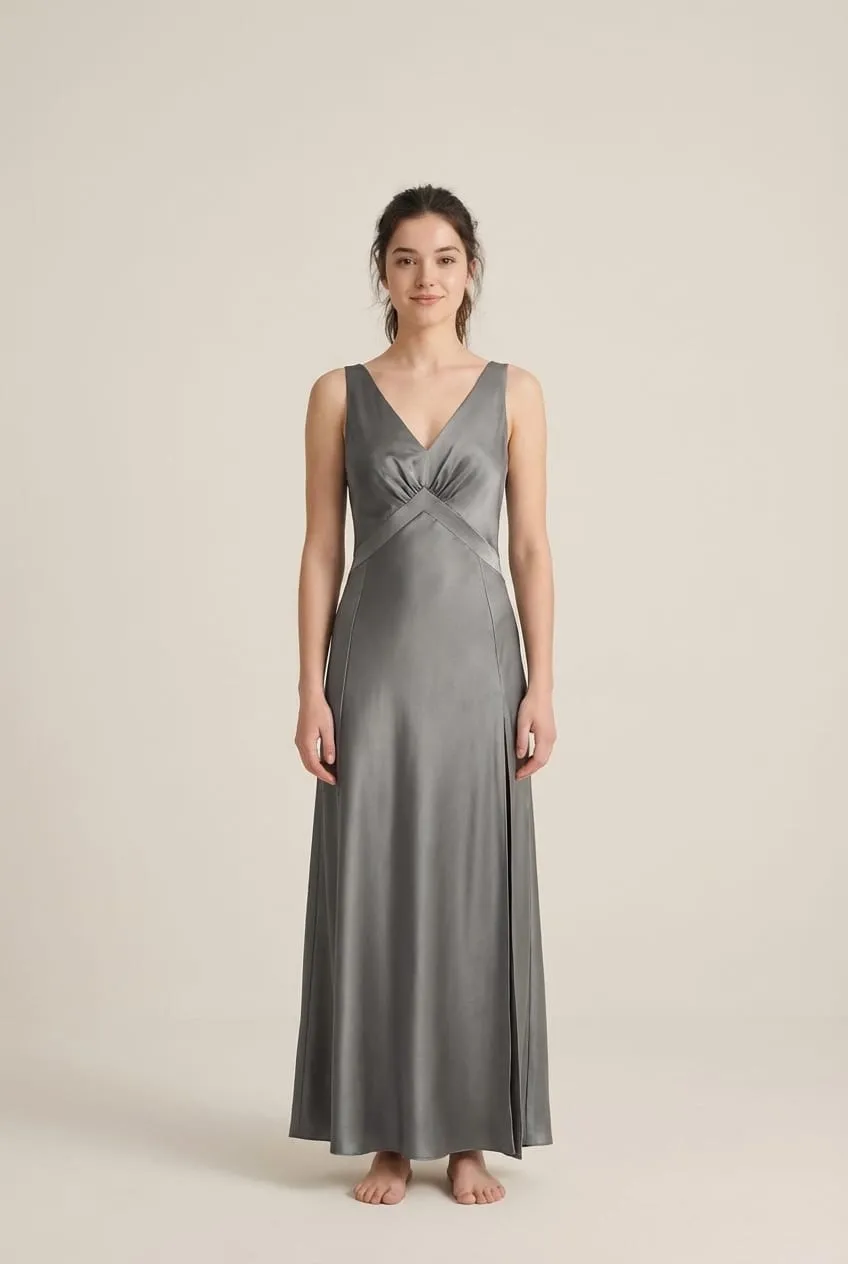
Photo-based AI generators: the flexible option
This is the category that grew fastest, and it's structurally different from the other three. You upload a photo of yourself and any product image you can save, and the tool generates a composite. Because it isn't bound to a catalog, it works on a designer piece, a small independent brand, a marketplace listing, or something you screenshotted from an ad.
Tools in this space include TryOnWise, which is ours, along with a handful of competitors offering broadly similar photo-in, photo-out workflows. We'll be direct about the tradeoffs rather than pitch, because the category limitations apply to all of them equally.
What this category does well:
- Works with items from any store, which makes genuine cross-store comparison possible
- Fast enough to try five variants of the same item in the time a fitting room takes to open
- Shows silhouette, length, color against your skin tone, and proportion, which is what product photos hide
- Doubles as a photo tool: the same technology powers AI headshot generation and profile photos, and the full use-case list shows the range in one place
What it does not do:
- It does not measure you. A render is not a size recommendation, and no tool in this category should claim otherwise.
- Quality depends heavily on your input photo. A dim angled selfie produces a mediocre result no matter how good the model is.
- Fine detail on graphics and text is still the weak spot across the board.
- Most tools meter usage after a free tier.
Verdict: the most flexible option, and the only one that works across stores. Pair it with a size chart.
How to pick
| If you're buying... | Use |
|---|---|
| Glasses or sunglasses | Retailer AR try-on |
| Makeup | Beauty AR (Sephora, YouCam) |
| Clothing from one big retailer | That retailer's catalog try-on, if it exists |
| Clothing found through search | Google Shopping try-on where supported |
| Anything from a small or independent brand | Photo-based AI generator |
| Comparing items across several stores | Photo-based AI generator |
| An expensive tailored item | Try-at-home program plus flat measurements |
A reasonable setup for most people is one photo-based tool plus whatever AR their optician offers. That covers the wide majority of purchases without installing anything else.
Two questions settle most of the choice. First, do you shop mostly at one large retailer or across many stores? Single-retailer shoppers get the best renders for free from that retailer's own tool, while cross-store shoppers need something catalog-independent. Second, are you buying something that sits on a fixed point of the body, like frames or a watch, or something that drapes? Fixed-point items belong to AR, and draped items belong to photo-based generation. Answer those two and the category picks itself.
What none of them solve
Worth saying plainly, because a lot of marketing in this space overreaches.
Sizing. No virtual try-on tool measures your body. Every one of them shows appearance. The reliable sizing method is still comparing a garment's flat measurements to something in your wardrobe that fits the way you want. Our guide on how to try on clothes online walks through that check.
Fabric behavior. A render can't tell you a shirt is scratchy, a knit will pill, or a dress is see-through in daylight. Read the composition and check reviews. Our breakdown of natural vs synthetic fabrics covers how each fiber behaves once worn.
Construction quality. Seam finishing, lining, hardware, and button quality are invisible to every tool in this list.
Treat virtual try-on as the visual half of the decision and measurements plus reviews as the other half. Tools that promise to be both are overselling.
Frequently Asked Questions
What is the best virtual try-on app overall?
There isn't one, because the categories solve different problems. For glasses, retailer AR is unbeatable. For apparel from a single large retailer, their catalog try-on gives the most realistic render. For anything else, and for comparing across stores, a photo-based AI generator is the only option that isn't locked to one inventory. Most people are best served by one photo-based tool plus their optician's AR.
Are there free virtual try-on apps?
Yes. Retailer AR and catalog try-on features are free, since they exist to sell you something. Google Shopping's try-on is free where supported. Photo-based AI generators typically offer a limited free tier and charge beyond it, because each generation costs compute. Free options cover most casual use; paid tiers make sense if you're comparing many items regularly.
Is virtual try-on accurate?
Accurate for appearance, not for measurements. Modern tools are convincing on drape, proportion, and color, which is what most people misjudge from product photos. None of them measures your body, so a good render is not a size recommendation. Use it to decide whether an item suits you, then use the size chart to decide which size to order.
Can I try on clothes from any store?
Only with a photo-based AI generator. Retailer AR and catalog try-on are limited to that retailer's stock, and marketplace try-on is limited to participating merchants. A photo-based tool works from any product image you can save, which is what makes cross-store comparison and small independent brands possible.
Which virtual try-on works best for glasses?
Retailer AR, without much competition. Frames sit on a fixed anchor point and your face is a stable tracking target, so live camera overlays get genuinely close to a mirror. Warby Parker and most large optical retailers offer it. A photo-based generator can also render glasses and sunglasses if you want a static image to compare side by side.
Do virtual try-on apps store my photos?
It depends on the tool, and you should check before uploading. Look for a clear retention period, a statement about whether uploads train models, and a delete option. Reputable services answer all three plainly. Retailer AR usually processes on-device without uploading, while photo-based generators necessarily send your image to a server.
Will virtual try-on replace fitting rooms?
Not entirely, and it doesn't need to. It handles the part online shopping is worst at: showing you how something looks on your actual proportions before it ships. Fabric feel, construction quality, and the last centimeter of fit still favor trying something in person. The realistic outcome is fewer speculative orders and fewer returns, not the end of fitting rooms.
Conclusion
The best virtual try-on apps in 2026 aren't ranked on a single leaderboard, because they answer different questions. AR wins on glasses and makeup. Retailer tools give great renders inside their own catalog. Google Shopping covers a broad slice of merchants for free. Photo-based AI generators are the only category that works across every store, which is why they've become the default for people who shop widely.
Pick by the question you're asking. Use the visual tool to decide whether something suits you, and flat measurements to decide what size to order. That combination catches the two mistakes that cause most returns, and it takes about a minute per item.